Creators
Send one show to YouTube, Facebook, Twitch, and selected custom RTMP destinations from one workflow.
Multistreaming for creators and teams
Send one broadcast to YouTube, Facebook, Twitch, and custom RTMP destinations. Creator and higher plans can also send video into ApexStream with SRT. Manage every destination and stream status from one clear workspace.
Instagram and TikTok use custom stream details supplied by each platform.
Connect your input and the destinations your audience uses
How it works
Keep the tools you already use. ApexStream brings the routing and destination controls into one clear workspace.
Bring your camera, encoder, or existing production setup into one control room.
Select YouTube, Facebook, Twitch, or a custom RTMP destination. Creator and higher plans can use SRT to send video into ApexStream.
Start one broadcast and manage every destination from the same simple workspace.
See the product
One Web Studio for solo streams, guest interviews, live podcast recordings, and multistreaming.
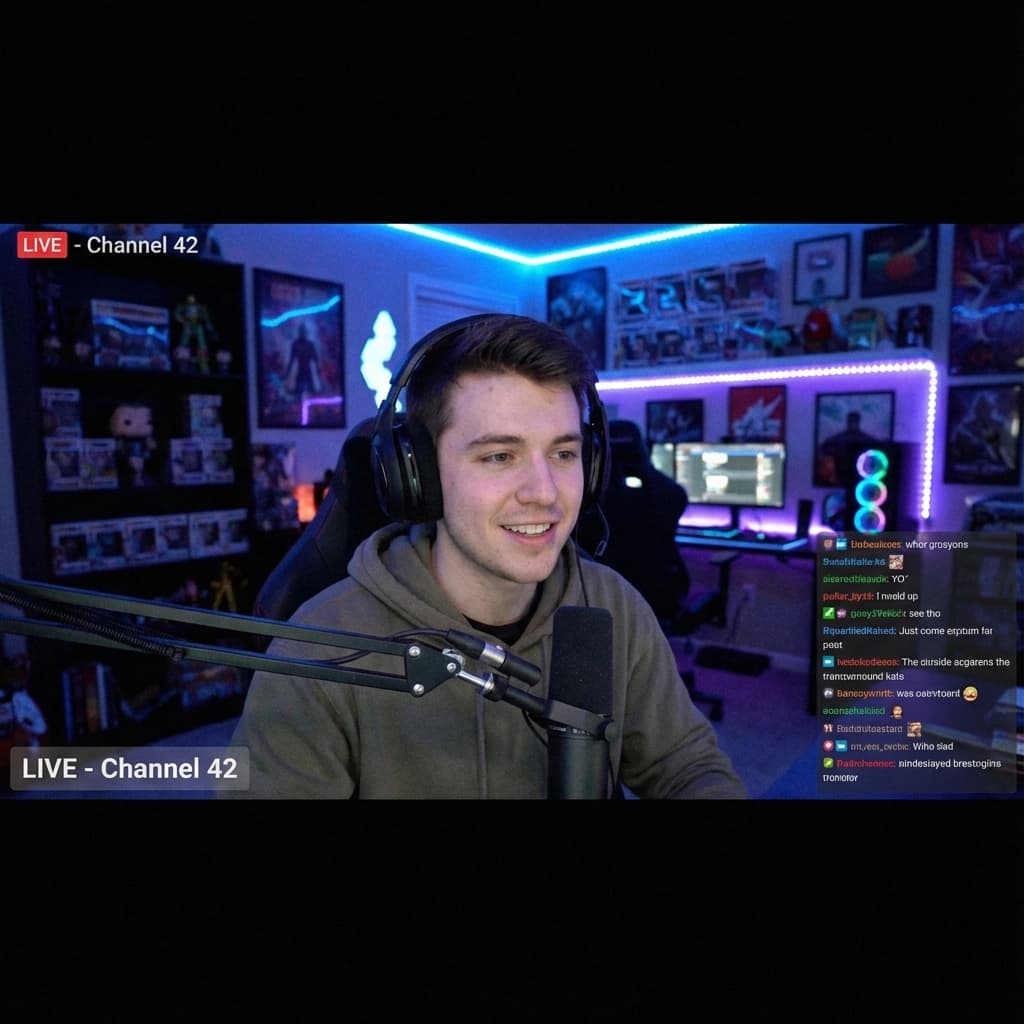
Run one show in Web Studio while ApexStream sends it to YouTube, Facebook, Twitch, and selected custom RTMP destinations. Follow supported YouTube, Facebook, and Twitch chats in one view.

Send a link and bring guests on air from a browser, with no download or separate guest account. Place each guest in the layout that fits your show.

Record a multi-guest episode while you stream it live. Podcast Studio is available as an add-on for Hobby and Creator, and is included with Scale and Enterprise; it is not included with Free.


On Creator and higher plans, send a finished recording to AI Clips to find short moments, reframe them vertically, and prepare them for export.
Explore product workflows for gaming, worship, guest shows, and post-stream clips. Access and limits follow the account plan.

Choose a workflow
Simple by design
See what is connected, where your stream is going, and what needs attention before you go live.
Keep destination setup, stream status, and broadcast controls together.
Send a single feed to supported platforms and custom RTMP destinations, with SRT input available from Creator.
See what is connected and make changes without rebuilding your production.
Explore ApexStream
Preview the product, explore a team setup, or check destination support before creating an account.
Product preview
See how show preparation, destination selection, live status, recording, and follow-up content fit together.
Open the previewSolution
Bring guests on screen, keep supported chats together, and reuse recordings after the show.
Explore creator workflowsSolution
See how media and technical teams can prepare material, coordinate presenters, and manage destinations.
Explore team workflowsUse case
Plan a launch show with presenters, product material, selected destinations, and a recording for follow-up.
See the launch workflowCompatibility guide
See which platforms connect directly, which use manual stream details, and what is still planned.
View destination supportActual capture, recording, and relay behaviour depends on the source, browser, destination, and selected plan.
Web Studio requests a 48 kHz production path and provides audio finishing tools. The microphone, browser, operating system, and export workflow can still affect the captured result.
Recording location, track format, storage, and retention depend on the production setup and selected plan. Review those details before relying on a recording-heavy workflow.
Every live output is normalized to 30 fps or lower. Compatible destinations share one bounded encoder, while outputs that need a different resolution or shape reserve their own media-node capacity.
Product comparison
This guide compares a small set of material, publicly documented details. It does not rank the products or offer a recommendation. Reviewed on August 10, 2026.
| Published detail | ApexStream | Restream | StreamYard |
|---|---|---|---|
| Entry paid plan | $25 USD/month Hobby is an individual self-serve plan. The annual total is $250 USD, about $20.83/month when paid yearly. Official source | $19 USD/month Standard is a self-serve plan. The reviewed page lists $190 USD/year and displays $16/month when billed yearly. Offers may vary. Official source | $44.99 USD/month Core is an individual plan. The reviewed page displays $35.99/month with yearly billing. Prices can vary with promotions and renewal terms. Official source |
| Published destination breadth | 3 direct account connections plus manual destinations YouTube, Facebook, and Twitch connect directly. Instagram, TikTok, X, LinkedIn Live, and compatible RTMP services use platform-supplied stream details. Official source | More than 30 listed destinations plus custom channels Restream's reviewed guide lists integrated destinations and custom RTMP, SRT, HLS, and WHIP channels. Access can vary by plan. Official source | 7 native destinations plus platform-specific and custom routes The reviewed guide lists Facebook, LinkedIn, YouTube, X, Twitch, Kick, and Vimeo natively, with separate Instagram, TikTok, and custom RTMP entries. Official source |
| Recording | Local and cloud options vary by plan and setup Cloud recording starts above Free. Separate-participant ISO recording is a Scale-and-higher plan control. Official source | Cloud recording on paid plans; 4K recording from Professional The reviewed pages say paid plans automatically record streams. Storage, length, and quality vary by plan. Official source | Local recording on Free; cloud and unlimited local recording on Core The reviewed pricing page lists 2 local hours/month on Free and 4K local recording from Advanced. Storage and session limits apply. Official source |
| Destinations at once | Free 2 · Hobby 3 · Creator 5 · Scale 8 Enterprise lists up to 50. These are simultaneous destination limits, not the number of saved connections. Official source | Free 2 · Standard 3 · Professional 5 · Business 8 Enterprise capacity is custom. Plan names and limits are taken from Restream's public pricing page. Official source | Free: not stated on reviewed pricing page · Core 3 · Advanced 8 StreamYard's separate Business plan lists up to 10 destinations. Individual and Business plans are not the same offer. Official source |
| External encoder and advanced inputs | RTMP and RTMPS on every plan; SRT and WHIP from Creator SRT and WHIP are incoming options. Outgoing SRT destinations are planned and are not currently enabled. Official source | Incoming and outgoing SRT on Business and custom Enterprise Restream documents encrypted SRT input, SRT output, and transcoding from SRT to RTMP platforms on these plans. Official source | Browser studio and custom RTMP destinations are advertised SRT or WHIP input availability is not publicly advertised in the cited paid-feature summary. Official source |
| AI-assisted short clips | Included from Creator AI Clips finds candidate moments, reframes for vertical video, adds styled captions, and leaves the user to review before rendering. Official source | Clips is shown as an optional paid product The reviewed pricing page displays Clips as an add-on and shows its current allowance and price beside eligible plans. Official source | AI Clips is listed with Core and Advanced The reviewed pricing page includes AI Clips among the features of its individual paid plans. Official source |
| Podcast-specific workflow | Included with Scale and Enterprise Available as a $15 USD/month add-on for Hobby and Creator. It is unavailable on Free. Official source | Recording and production, then a separate RSS host Restream's reviewed guidance describes downloading the recording, refining it, and uploading the result to a podcast host for RSS distribution. Official source | Recording and production, then a separate RSS host StreamYard documents podcast recording and editing, and states that it does not currently provide an RSS feed. Official source |
Source ledger
ApexStream pricing, destination, and Podcast Studio pages; Restream pricing and support guidance; StreamYard pricing and support guidance. Every table cell links to the relevant official page.
Review and disclosure
Comparison checked against publicly available official pages and ApexStream's current plan controls on August 10, 2026. Prices shown in USD before tax; annual figures may be billed upfront. Competitor prices, promotions, limits, eligibility rules, and features can change or vary by region and plan. “Not publicly advertised” means we did not find the feature in the cited official pages; it does not prove the feature is unavailable. Restream and StreamYard are trademarks of their respective owners. ApexStream is not affiliated with, endorsed by, or sponsored by either company. Review quarterly and before any plan campaign.
Common workflows
Use the same destination controls for solo shows, team productions, and recurring community events.
Send one show to YouTube, Facebook, Twitch, and selected custom RTMP destinations from one workflow.
Keep routing and destination status in one place so everyone knows what is live.
Run recurring services, events, and programs with a repeatable setup your team can understand.
Frequently asked questions
Need advice for a specific production? Contact the team.
Ready when you are
Create an account, connect a destination, and explore the broadcast workflow. No credit card required.